
Mastering Python's json Module: Encoding, Decoding, and Custom Serializers
Complete guide to Python's json module with practical examples for encoding, decoding, handling custom types, and implementing custom serializers. Learn best practices and advanced techniques.
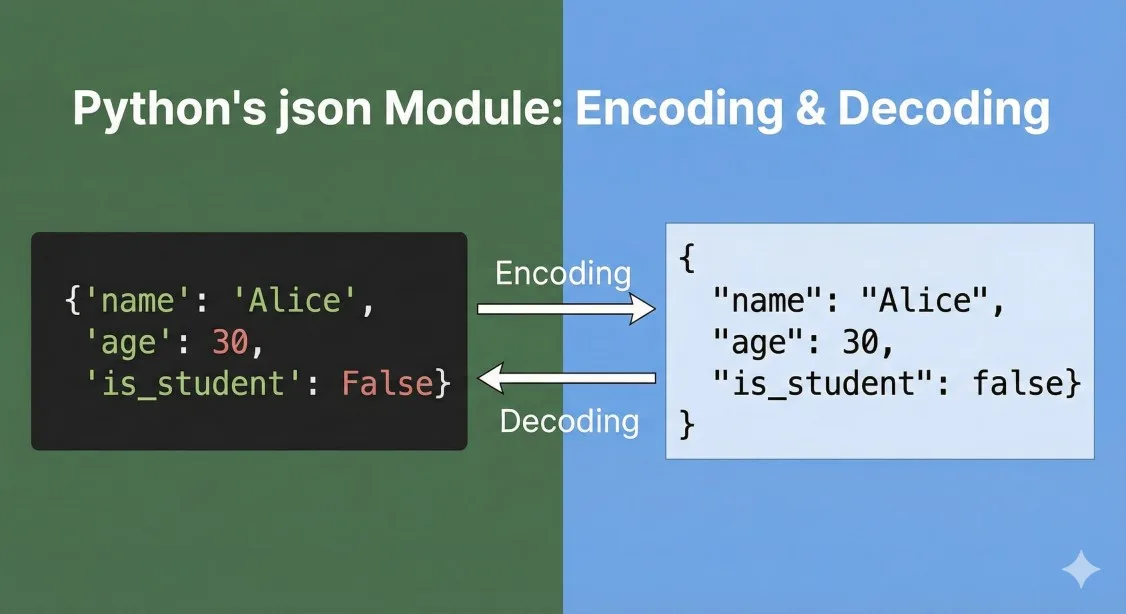
Python's json module is the cornerstone of modern data exchange in Python applications. Whether you're building REST APIs, processing configuration files, or exchanging data with external systems, mastering the json module is essential for every Python developer.
According to the Python Developer Survey 2024, over 78% of Python developers work with JSON data regularly, making it the most common data format in Python applications. Yet many developers only scratch the surface of what the json module can do, missing out on powerful features that can make their code more robust and maintainable.
As someone who's built production systems processing millions of JSON documents daily, I've learned that understanding the nuances of Python's json module—from basic encoding to custom serializers—can dramatically improve both code quality and application performance.
This comprehensive guide will take you from JSON basics to advanced custom serialization techniques, complete with practical examples, real-world use cases, and best practices learned from production systems. Whether you're just starting with JSON in Python or looking to level up your serialization game, this guide has you covered.
When working with JSON in Python, having the right tools makes a significant difference. Our JSON editor provides syntax highlighting and validation for testing your JSON data, while our guide on JSON Schema validation helps ensure your data integrity.
Understanding Python's json Module Fundamentals
The json module is part of Python's standard library, providing a complete toolkit for working with JSON data. Unlike third-party libraries, it requires no installation and follows Python's "batteries included" philosophy.
Core Components of the json Module
The json module provides four main functions that cover most use cases:
json.dumps()- Serialize Python objects to JSON-formatted stringsjson.dump()- Serialize Python objects directly to file objectsjson.loads()- Deserialize JSON strings to Python objectsjson.load()- Deserialize JSON from file objects to Python objects
These functions form the foundation of all JSON operations in Python. Understanding when and how to use each one is crucial for writing efficient code.
Python to JSON Type Mapping
Python's json module automatically handles type conversion between Python and JSON:
| Python Type | JSON Type | Notes |
|---|---|---|
| dict | object | Python dictionaries become JSON objects |
| list, tuple | array | Both convert to JSON arrays |
| str | string | Unicode strings preserved |
| int, float | number | Numeric types map directly |
| True | true | Boolean values match |
| False | false | Boolean values match |
| None | null | Python None becomes JSON null |
Understanding these mappings helps prevent unexpected type conversions and makes debugging much easier.
The JSON Encoder and Decoder Classes
Behind the scenes, the json module uses two important classes:
JSONEncoder- Handles serialization of Python objects to JSONJSONDecoder- Handles deserialization of JSON to Python objects
While you typically won't use these classes directly, they become crucial when implementing custom serialization logic. We'll explore custom encoders and decoders in depth later in this guide.
Basic JSON Encoding with dumps() and dump()
Encoding Python objects to JSON is one of the most common operations you'll perform. Let's explore the various options and techniques.
Simple Encoding with dumps()
The dumps() function (dump string) converts Python objects to JSON-formatted strings:
import json

# Simple data structures
data = {
    "name": "Alice Johnson",
    "age": 28,
    "is_active": True,
    "skills": ["Python", "JavaScript", "SQL"],
    "address": None
}

# Convert to JSON string
json_string = json.dumps(data)
print(json_string)
# Output: {"name": "Alice Johnson", "age": 28, "is_active": true, "skills": ["Python", "JavaScript", "SQL"], "address": null}

# Pretty-printed JSON with indentation
pretty_json = json.dumps(data, indent=4)
print(pretty_json)
The indent parameter is particularly useful during development and debugging, making JSON output human-readable.
Writing JSON Directly to Files with dump()
When working with files, dump() (no 's') writes JSON directly to file objects, which is more efficient than creating a string first:
import json

user_data = {
    "users": [
        {"id": 1, "name": "Alice", "email": "alice@example.com"},
        {"id": 2, "name": "Bob", "email": "bob@example.com"},
        {"id": 3, "name": "Charlie", "email": "charlie@example.com"}
    ],
    "total": 3,
    "timestamp": "2025-12-19T10:30:00Z"
}

# Write JSON to file with proper formatting
with open('users.json', 'w', encoding='utf-8') as f:
    json.dump(user_data, f, indent=2, ensure_ascii=False)

print("Data written to users.json")
Always use context managers (with statements) when working with files to ensure proper resource cleanup.
Important Encoding Parameters
The dumps() and dump() functions accept several important parameters:
| Parameter | Default | Description | Use Case |
|---|---|---|---|
indent | None | Number of spaces for indentation | Pretty-printing for readability |
sort_keys | False | Sort dictionary keys alphabetically | Consistent output for testing |
ensure_ascii | True | Escape non-ASCII characters | Working with international text |
separators | None | Customize item and key separators | Minimizing JSON size |
default | None | Function for non-serializable objects | Custom type handling |
Let's see these parameters in action:
import json

data = {
    "user": "François",
    "message": "Hello 世界",
    "values": [1, 2, 3],
    "metadata": {"version": "1.0", "author": "Team"}
}

# Compact JSON (no whitespace)
compact = json.dumps(data, separators=(',', ':'))
print(f"Compact size: {len(compact)} bytes")
print(compact)

# Pretty-printed with sorted keys
readable = json.dumps(data, indent=2, sort_keys=True)
print(f"\nReadable size: {len(readable)} bytes")
print(readable)

# Preserve Unicode characters (don't escape)
unicode_json = json.dumps(data, ensure_ascii=False)
print(f"\nUnicode preserved:")
print(unicode_json)
The separators parameter is particularly useful for production APIs where minimizing payload size matters. Using separators=(',', ':') removes all unnecessary whitespace.
Handling Encoding Errors
Not all Python objects can be serialized to JSON by default. Here's how to handle common issues:
import json
from datetime import datetime
from decimal import Decimal

# This will raise TypeError
data_with_datetime = {
    "timestamp": datetime.now(),
    "amount": Decimal("99.95")
}

try:
    json.dumps(data_with_datetime)
except TypeError as e:
    print(f"Error: {e}")
    # Output: Object of type datetime is not JSON serializable

# Solution 1: Convert before serialization
data_converted = {
    "timestamp": datetime.now().isoformat(),
    "amount": float(Decimal("99.95"))
}
print(json.dumps(data_converted))

# Solution 2: Use default parameter
def json_serializer(obj):
    """Custom serializer for common non-JSON types."""
    if isinstance(obj, datetime):
        return obj.isoformat()
    if isinstance(obj, Decimal):
        return float(obj)
    raise TypeError(f"Type {type(obj)} not serializable")

json_string = json.dumps(data_with_datetime, default=json_serializer)
print(json_string)
The default parameter provides a powerful way to handle custom types without modifying the original data structure.
Decoding JSON with loads() and load()
Parsing JSON data into Python objects is equally important and comes with its own set of considerations and techniques.
Basic Decoding with loads()
The loads() function (load string) parses JSON strings into Python objects:
import json

# JSON string from API or file
json_string = '''
{
    "product": "Laptop",
    "price": 899.99,
    "in_stock": true,
    "specs": {
        "ram": "16GB",
        "storage": "512GB SSD",
        "processor": "Intel Core i7"
    },
    "tags": ["electronics", "computers", "bestseller"]
}
'''

# Parse JSON to Python dictionary
product = json.loads(json_string)

# Access the data
print(f"Product: {product['product']}")
print(f"Price: ${product['price']}")
print(f"RAM: {product['specs']['ram']}")
print(f"Tags: {', '.join(product['tags'])}")

# Check types
print(f"\nProduct type: {type(product)}")  # <class 'dict'>
print(f"Price type: {type(product['price'])}")  # <class 'float'>
print(f"In stock type: {type(product['in_stock'])}")  # <class 'bool'>
The json module automatically converts JSON types to their Python equivalents, making the data immediately usable.
Reading JSON from Files with load()
When reading JSON from files, use load() for better performance:
import json
from pathlib import Path

# Reading with error handling
def read_json_file(filepath):
    """Safely read and parse JSON file."""
    try:
        with open(filepath, 'r', encoding='utf-8') as f:
            data = json.load(f)
        return data
    except FileNotFoundError:
        print(f"Error: File {filepath} not found")
        return None
    except json.JSONDecodeError as e:
        print(f"Error: Invalid JSON in {filepath}")
        print(f"Line {e.lineno}, Column {e.colno}: {e.msg}")
        return None
    except Exception as e:
        print(f"Unexpected error: {e}")
        return None

# Usage
config = read_json_file('config.json')
if config:
    print("Configuration loaded successfully")
    print(json.dumps(config, indent=2))
Proper error handling is crucial when working with external data sources. The JSONDecodeError exception provides detailed information about parsing failures.
Understanding JSON Decoding Parameters
The loads() and load() functions support several useful parameters:
| Parameter | Default | Description | Use Case |
|---|---|---|---|
object_hook | None | Function to convert JSON objects | Custom object creation |
parse_float | None | Function to parse float values | High-precision decimals |
parse_int | None | Function to parse integer values | Custom integer handling |
parse_constant | None | Handle special values (Infinity, NaN) | Mathematical data |
object_pairs_hook | None | Function receiving key-value pairs | Ordered dictionaries |
Advanced Decoding Techniques
Let's explore some advanced decoding scenarios:
import json
from decimal import Decimal
from collections import OrderedDict

json_data = '''
{
    "transaction_id": 123456,
    "amount": 1234.56,
    "currency": "USD",
    "items": [
        {"name": "Item 1", "price": 599.99},
        {"name": "Item 2", "price": 634.57}
    ]
}
'''

# Preserve order of keys (useful for maintaining field order)
ordered = json.loads(json_data, object_pairs_hook=OrderedDict)
print("Ordered keys:", list(ordered.keys()))

# Parse floats as Decimal for financial precision
def parse_decimal(value):
    return Decimal(value)

precise = json.loads(json_data, parse_float=parse_decimal)
print(f"\nPrecise amount: {precise['amount']}")
print(f"Type: {type(precise['amount'])}")  # <class 'decimal.Decimal'>

# Custom object creation with object_hook
def create_transaction(dct):
    """Convert JSON dict to custom object if it's a transaction."""
    if 'transaction_id' in dct and 'amount' in dct:
        return type('Transaction', (), dct)()
    return dct

transaction = json.loads(json_data, object_hook=create_transaction)
print(f"\nTransaction ID: {transaction.transaction_id}")
print(f"Transaction Amount: {transaction.amount}")
The object_hook parameter is particularly powerful—it gets called for every JSON object decoded, allowing you to transform data structures during parsing.
Handling Malformed JSON
Real-world applications often encounter invalid JSON. Here's how to handle it gracefully:
import json

def parse_json_safely(json_string, strict=True):
    """
    Parse JSON with detailed error reporting.

    Args:
        json_string: JSON string to parse
        strict: If False, allows control characters in strings

    Returns:
        Parsed data or None if parsing fails
    """
    try:
        return json.loads(json_string, strict=strict)
    except json.JSONDecodeError as e:
        print(f"JSON Decode Error:")
        print(f"  Message: {e.msg}")
        print(f"  Line: {e.lineno}, Column: {e.colno}")
        print(f"  Position: {e.pos}")

        # Show the problematic area
        lines = json_string.split('\n')
        if e.lineno <= len(lines):
            print(f"  Problematic line: {lines[e.lineno - 1]}")
            print(f"  {' ' * (e.colno - 1)}^")

        return None

# Test with malformed JSON
malformed_json = '''
{
    "name": "Test",
    "value": 123,
    "invalid": undefined
}
'''

result = parse_json_safely(malformed_json)
print(f"\nParsing result: {result}")
Detailed error reporting helps developers quickly identify and fix JSON formatting issues.
Working with Custom Types and Complex Objects
Real applications deal with complex data structures beyond basic types. Python's json module provides elegant solutions for serializing custom objects.
The Challenge with Custom Types
By default, the json module only handles basic Python types. Custom classes and complex objects raise TypeError:
import json
from datetime import datetime, date
from dataclasses import dataclass

@dataclass
class User:
    id: int
    name: str
    email: str
    created_at: datetime
    is_active: bool = True

# Create a user instance
user = User(
    id=1,
    name="Alice Johnson",
    email="alice@example.com",
    created_at=datetime.now()
)

# This will raise TypeError
try:
    json.dumps(user)
except TypeError as e:
    print(f"Error: {e}")
    # Output: Object of type User is not JSON serializable
We need strategies to handle these custom types effectively.
Strategy 1: Using the default Parameter
The simplest approach is providing a default function:
import json
from datetime import datetime, date
from dataclasses import dataclass, asdict
from decimal import Decimal
from uuid import UUID

@dataclass
class User:
    id: int
    name: str
    email: str
    created_at: datetime
    birth_date: date
    account_id: UUID
    balance: Decimal

def custom_json_serializer(obj):
    """
    Custom serializer for non-standard types.
    """
    # Handle datetime objects
    if isinstance(obj, datetime):
        return obj.isoformat()

    # Handle date objects
    if isinstance(obj, date):
        return obj.isoformat()

    # Handle UUID objects
    if isinstance(obj, UUID):
        return str(obj)

    # Handle Decimal for financial precision
    if isinstance(obj, Decimal):
        return str(obj)

    # Handle dataclass instances
    if hasattr(obj, '__dataclass_fields__'):
        return asdict(obj)

    # Handle objects with dict() method
    if hasattr(obj, 'dict'):
        return obj.dict()

    # Handle objects with to_json() method
    if hasattr(obj, 'to_json'):
        return obj.to_json()

    # Can't serialize - raise TypeError
    raise TypeError(f"Object of type {type(obj).__name__} is not JSON serializable")

# Create user with complex types
from uuid import uuid4

user = User(
    id=1,
    name="Alice Johnson",
    email="alice@example.com",
    created_at=datetime.now(),
    birth_date=date(1995, 3, 15),
    account_id=uuid4(),
    balance=Decimal("12345.67")
)

# Serialize with custom function
json_output = json.dumps(user, default=custom_json_serializer, indent=2)
print(json_output)
This approach provides fine-grained control over serialization while keeping the code maintainable.
Strategy 2: Adding JSON Methods to Classes
Another approach is adding JSON serialization methods directly to your classes:
import json
from datetime import datetime
from typing import Dict, Any

class Product:
    """Product with built-in JSON serialization."""

    def __init__(self, id: int, name: str, price: float,
                 created_at: datetime, tags: list):
        self.id = id
        self.name = name
        self.price = price
        self.created_at = created_at
        self.tags = tags

    def to_json(self) -> Dict[str, Any]:
        """Convert product to JSON-serializable dictionary."""
        return {
            'id': self.id,
            'name': self.name,
            'price': self.price,
            'created_at': self.created_at.isoformat(),
            'tags': self.tags
        }

    @classmethod
    def from_json(cls, data: Dict[str, Any]) -> 'Product':
        """Create product from JSON dictionary."""
        return cls(
            id=data['id'],
            name=data['name'],
            price=data['price'],
            created_at=datetime.fromisoformat(data['created_at']),
            tags=data['tags']
        )

    def __repr__(self):
        return f"Product(id={self.id}, name='{self.name}', price={self.price})"

# Create and serialize product
product = Product(
    id=101,
    name="Wireless Mouse",
    price=29.99,
    created_at=datetime.now(),
    tags=["electronics", "accessories"]
)

# Serialize
json_string = json.dumps(product.to_json(), indent=2)
print("Serialized:")
print(json_string)

# Deserialize
product_data = json.loads(json_string)
restored_product = Product.from_json(product_data)
print(f"\nRestored: {restored_product}")
This pattern works well when you control the class definitions and want explicit serialization logic.
Strategy 3: Using Dataclasses with Custom Encoder
Python's dataclasses integrate beautifully with JSON serialization:
import json
from dataclasses import dataclass, asdict, field
from datetime import datetime
from typing import List, Optional

@dataclass
class Address:
    street: str
    city: str
    country: str
    postal_code: str

@dataclass
class Person:
    id: int
    name: str
    email: str
    addresses: List[Address]
    registered_at: datetime
    metadata: Optional[dict] = field(default_factory=dict)

    def to_dict(self):
        """Convert to dictionary with proper datetime handling."""
        result = asdict(self)
        result['registered_at'] = self.registered_at.isoformat()
        return result

    @classmethod
    def from_dict(cls, data):
        """Create instance from dictionary."""
        # Convert nested address dicts to Address objects
        addresses = [Address(**addr) for addr in data['addresses']]

        return cls(
            id=data['id'],
            name=data['name'],
            email=data['email'],
            addresses=addresses,
            registered_at=datetime.fromisoformat(data['registered_at']),
            metadata=data.get('metadata', {})
        )

# Create complex nested structure
person = Person(
    id=1,
    name="Bob Smith",
    email="bob@example.com",
    addresses=[
        Address("123 Main St", "New York", "USA", "10001"),
        Address("456 Oak Ave", "Boston", "USA", "02101")
    ],
    registered_at=datetime.now(),
    metadata={"source": "web", "campaign": "summer2025"}
)

# Serialize
json_output = json.dumps(person.to_dict(), indent=2)
print("Serialized person:")
print(json_output)

# Deserialize
person_data = json.loads(json_output)
restored_person = Person.from_dict(person_data)
print(f"\nRestored: {restored_person.name}")
print(f"Address count: {len(restored_person.addresses)}")
Dataclasses provide clean syntax while the to_dict and from_dict methods handle serialization details.
Building Custom JSON Encoders and Decoders
For complex applications with consistent serialization needs, custom encoder and decoder classes provide the most maintainable solution.
Creating a Custom JSONEncoder
Custom encoders extend json.JSONEncoder and override the default method:
import json
from datetime import datetime, date, time
from decimal import Decimal
from uuid import UUID
from enum import Enum
from pathlib import Path

class EnhancedJSONEncoder(json.JSONEncoder):
    """
    Extended JSON encoder with support for additional Python types.
    """

    def default(self, obj):
        # Datetime types
        if isinstance(obj, datetime):
            return {
                '__type__': 'datetime',
                'value': obj.isoformat()
            }

        if isinstance(obj, date):
            return {
                '__type__': 'date',
                'value': obj.isoformat()
            }

        if isinstance(obj, time):
            return {
                '__type__': 'time',
                'value': obj.isoformat()
            }

        # Numeric types
        if isinstance(obj, Decimal):
            return {
                '__type__': 'decimal',
                'value': str(obj)
            }

        # UUID
        if isinstance(obj, UUID):
            return {
                '__type__': 'uuid',
                'value': str(obj)
            }

        # Enums
        if isinstance(obj, Enum):
            return {
                '__type__': 'enum',
                'class': obj.__class__.__name__,
                'value': obj.value
            }

        # Path objects
        if isinstance(obj, Path):
            return {
                '__type__': 'path',
                'value': str(obj)
            }

        # Sets
        if isinstance(obj, set):
            return {
                '__type__': 'set',
                'value': list(obj)
            }

        # Bytes
        if isinstance(obj, bytes):
            return {
                '__type__': 'bytes',
                'value': obj.decode('utf-8', errors='replace')
            }

        # Let the base class handle it or raise TypeError
        return super().default(obj)

# Usage example
from uuid import uuid4
from enum import Enum

class Status(Enum):
    ACTIVE = "active"
    INACTIVE = "inactive"
    PENDING = "pending"

complex_data = {
    "id": uuid4(),
    "created": datetime.now(),
    "date": date.today(),
    "amount": Decimal("999.95"),
    "status": Status.ACTIVE,
    "tags": {"python", "json", "tutorial"},
    "config_path": Path("/etc/config.json")
}

# Serialize with custom encoder
json_output = json.dumps(complex_data, cls=EnhancedJSONEncoder, indent=2)
print("Encoded complex data:")
print(json_output)
The custom encoder adds type information to encoded objects, enabling accurate deserialization.
Creating a Custom JSONDecoder
To reverse the custom encoding, create a matching decoder:
import json
from datetime import datetime, date, time
from decimal import Decimal
from uuid import UUID
from pathlib import Path
from enum import Enum

class EnhancedJSONDecoder(json.JSONDecoder):
    """
    Extended JSON decoder that restores custom types.
    """

    def __init__(self, *args, **kwargs):
        super().__init__(object_hook=self.object_hook, *args, **kwargs)

    def object_hook(self, obj):
        """Convert dictionaries with type information back to Python objects."""

        if '__type__' not in obj:
            return obj

        obj_type = obj['__type__']
        value = obj['value']

        if obj_type == 'datetime':
            return datetime.fromisoformat(value)

        if obj_type == 'date':
            return date.fromisoformat(value)

        if obj_type == 'time':
            return time.fromisoformat(value)

        if obj_type == 'decimal':
            return Decimal(value)

        if obj_type == 'uuid':
            return UUID(value)

        if obj_type == 'path':
            return Path(value)

        if obj_type == 'set':
            return set(value)

        if obj_type == 'bytes':
            return value.encode('utf-8')

        if obj_type == 'enum':
            # Note: In production, you'd need to map class names to actual Enum classes
            return value

        return obj

# Complete round-trip example
from uuid import uuid4

class UserRole(Enum):
    ADMIN = "admin"
    USER = "user"
    GUEST = "guest"

original_data = {
    "user_id": uuid4(),
    "name": "Alice",
    "registered": datetime.now(),
    "balance": Decimal("1234.56"),
    "role": UserRole.ADMIN,
    "tags": {"python", "developer", "admin"}
}

# Encode
json_string = json.dumps(original_data, cls=EnhancedJSONEncoder, indent=2)
print("Encoded:")
print(json_string)

# Decode
restored_data = json.loads(json_string, cls=EnhancedJSONDecoder)
print(f"\nDecoded:")
print(f"User ID type: {type(restored_data['user_id'])}")
print(f"Registered type: {type(restored_data['registered'])}")
print(f"Balance type: {type(restored_data['balance'])}")
print(f"Tags type: {type(restored_data['tags'])}")
This encoder-decoder pair ensures data types survive the serialization round-trip.
Production-Ready Encoder with Error Handling
For production systems, add robust error handling:
import json
import logging
from datetime import datetime, date
from decimal import Decimal
from typing import Any

logger = logging.getLogger(__name__)

class ProductionJSONEncoder(json.JSONEncoder):
    """
    Production-grade JSON encoder with comprehensive error handling.
    """

    def default(self, obj: Any) -> Any:
        """
        Encode objects with fallback strategies for robustness.
        """
        try:
            # Try datetime conversion
            if isinstance(obj, (datetime, date)):
                return obj.isoformat()

            # Try Decimal conversion
            if isinstance(obj, Decimal):
                # Check for special values
                if obj.is_nan():
                    return None
                if obj.is_infinite():
                    return None
                return float(obj)

            # Try calling to_dict() method if available
            if hasattr(obj, 'to_dict') and callable(obj.to_dict):
                return obj.to_dict()

            # Try calling __dict__ for objects
            if hasattr(obj, '__dict__'):
                logger.warning(f"Using __dict__ for {type(obj).__name__}")
                return obj.__dict__

            # Try str() as last resort
            logger.warning(f"Using str() representation for {type(obj).__name__}")
            return str(obj)

        except Exception as e:
            logger.error(f"Error encoding {type(obj).__name__}: {e}")
            return f"<Error encoding {type(obj).__name__}>"

def safe_json_dumps(data: Any, **kwargs) -> str:
    """
    Safely serialize data to JSON with fallback encoding.
    """
    try:
        return json.dumps(data, cls=ProductionJSONEncoder, **kwargs)
    except Exception as e:
        logger.error(f"JSON serialization failed: {e}")
        # Return a valid JSON error object
        return json.dumps({
            "error": "Serialization failed",
            "message": str(e)
        })

# Test with various problematic data
test_data = {
    "normal": "value",
    "decimal": Decimal("123.45"),
    "nan": Decimal("NaN"),
    "datetime": datetime.now(),
    "infinity": float('inf'),  # Note: This still raises ValueError in standard json
}

result = safe_json_dumps(test_data, indent=2)
print(result)
Production encoders should never raise exceptions—they should log issues and provide fallback serialization.
Best Practices and Performance Optimization
Writing efficient, maintainable JSON code requires following established best practices and understanding performance implications.
Performance Best Practices
Optimize JSON operations for better performance:
import json
import time
from functools import lru_cache

# 1. Use separators for compact JSON
def create_compact_json(data):
    """Create minimal JSON without whitespace."""
    return json.dumps(data, separators=(',', ':'))

# 2. Cache encoder instances for repeated use
encoder = json.JSONEncoder(separators=(',', ':'), ensure_ascii=False)

def fast_encode(data):
    """Reuse encoder instance for better performance."""
    return encoder.encode(data)

# 3. Stream large JSON files instead of loading entirely
def stream_large_json(filepath):
    """Process large JSON files line by line."""
    with open(filepath, 'r') as f:
        for line in f:
            try:
                record = json.loads(line)
                yield record
            except json.JSONDecodeError:
                continue  # Skip malformed lines

# 4. Use default parameter efficiently
@lru_cache(maxsize=None)
def get_json_serializer():
    """Cache serializer function."""
    def serializer(obj):
        if hasattr(obj, 'isoformat'):
            return obj.isoformat()
        raise TypeError
    return serializer

# Performance comparison
data = {"key": "value"} * 1000

# Measure compact vs pretty JSON
start = time.time()
for _ in range(1000):
    json.dumps(data, separators=(',', ':'))
compact_time = time.time() - start

start = time.time()
for _ in range(1000):
    json.dumps(data, indent=2)
pretty_time = time.time() - start

print(f"Compact encoding: {compact_time:.3f}s")
print(f"Pretty encoding: {pretty_time:.3f}s")
print(f"Performance gain: {(pretty_time/compact_time - 1) * 100:.1f}%")
Memory Management for Large JSON Files
Handle large JSON files efficiently:
import json
import ijson  # Install: pip install ijson

def process_large_json_standard(filepath):
    """
    Standard approach - loads entire file into memory.
    Not suitable for very large files.
    """
    with open(filepath, 'r') as f:
        data = json.load(f)
    return data

def process_large_json_streaming(filepath):
    """
    Streaming approach - processes JSON incrementally.
    Suitable for multi-gigabyte files.
    """
    with open(filepath, 'rb') as f:
        # Parse top-level array items one at a time
        parser = ijson.items(f, 'item')
        for item in parser:
            # Process each item without loading entire file
            yield item

def write_large_json_streaming(data_generator, filepath):
    """
    Write large JSON files incrementally.
    """
    with open(filepath, 'w') as f:
        f.write('[\n')
        first = True
        for item in data_generator:
            if not first:
                f.write(',\n')
            json.dump(item, f)
            first = False
        f.write('\n]')

# Example: Process large user database
def process_users(filepath):
    """Process users from large JSON file."""
    active_users = 0
    total_balance = 0

    for user in process_large_json_streaming(filepath):
        if user.get('is_active'):
            active_users += 1
            total_balance += user.get('balance', 0)

    return {
        'active_users': active_users,
        'total_balance': total_balance
    }
Security Best Practices
Protect your applications from JSON-related security issues:
import json
from typing import Any, Dict

# 1. Limit JSON size to prevent memory exhaustion
MAX_JSON_SIZE = 10 * 1024 * 1024  # 10 MB

def safe_json_loads(json_string: str, max_size: int = MAX_JSON_SIZE) -> Any:
    """
    Safely parse JSON with size limits.
    """
    if len(json_string) > max_size:
        raise ValueError(f"JSON exceeds maximum size of {max_size} bytes")

    try:
        return json.loads(json_string)
    except json.JSONDecodeError as e:
        # Log error details for security monitoring
        print(f"JSON parsing failed: {e}")
        raise

# 2. Validate structure after parsing
def validate_user_json(data: Dict[str, Any]) -> bool:
    """
    Validate JSON structure matches expected schema.
    """
    required_fields = {'id', 'email', 'name'}

    if not isinstance(data, dict):
        return False

    if not required_fields.issubset(data.keys()):
        return False

    # Validate field types
    if not isinstance(data['id'], int):
        return False

    if not isinstance(data['email'], str) or '@' not in data['email']:
        return False

    return True

# 3. Sanitize data before encoding
def sanitize_for_json(data: Any) -> Any:
    """
    Remove or replace problematic values.
    """
    if isinstance(data, dict):
        return {k: sanitize_for_json(v) for k, v in data.items()
                if not k.startswith('_')}  # Remove private fields

    if isinstance(data, (list, tuple)):
        return [sanitize_for_json(item) for item in data]

    if isinstance(data, str):
        # Remove potential XSS vectors if JSON goes to web
        return data.replace('<', '<').replace('>', '>')

    return data

# Usage example
untrusted_json = '{"id": 1, "email": "user@example.com", "_password": "secret"}'

data = safe_json_loads(untrusted_json)
if validate_user_json(data):
    sanitized = sanitize_for_json(data)
    print(json.dumps(sanitized, indent=2))
Error Handling Patterns
Implement robust error handling for production code:
import json
import logging
from typing import Optional, Any
from dataclasses import dataclass

logger = logging.getLogger(__name__)

@dataclass
class JSONResult:
    """Container for JSON operation results."""
    success: bool
    data: Optional[Any] = None
    error: Optional[str] = None
    error_details: Optional[Dict[str, Any]] = None

def parse_json_with_fallback(json_string: str) -> JSONResult:
    """
    Parse JSON with comprehensive error handling and fallback.
    """
    try:
        data = json.loads(json_string)
        return JSONResult(success=True, data=data)

    except json.JSONDecodeError as e:
        logger.error(f"JSON decode error: {e}")
        return JSONResult(
            success=False,
            error="Invalid JSON format",
            error_details={
                'message': e.msg,
                'line': e.lineno,
                'column': e.colno,
                'position': e.pos
            }
        )

    except Exception as e:
        logger.exception("Unexpected error parsing JSON")
        return JSONResult(
            success=False,
            error="Unexpected error",
            error_details={'message': str(e)}
        )

def serialize_with_fallback(data: Any) -> JSONResult:
    """
    Serialize with multiple fallback strategies.
    """
    # Try standard serialization
    try:
        json_str = json.dumps(data)
        return JSONResult(success=True, data=json_str)
    except TypeError:
        pass

    # Try with custom encoder
    try:
        json_str = json.dumps(data, default=str)
        logger.warning("Used str() fallback for serialization")
        return JSONResult(success=True, data=json_str)
    except Exception as e:
        logger.error(f"All serialization attempts failed: {e}")
        return JSONResult(
            success=False,
            error="Serialization failed",
            error_details={'message': str(e)}
        )

# Usage in production code
def api_endpoint_handler(data: dict) -> dict:
    """Example API endpoint with proper error handling."""
    result = serialize_with_fallback(data)

    if result.success:
        return {
            'status': 'success',
            'data': result.data
        }
    else:
        return {
            'status': 'error',
            'error': result.error,
            'details': result.error_details
        }
Real-World Use Cases and Examples
Let's explore practical applications of Python's json module in common scenarios.
Use Case 1: Configuration Management
Managing application configuration with JSON:
import json
import os
from pathlib import Path
from typing import Dict, Any

class ConfigManager:
    """
    Robust configuration management with JSON.
    """

    def __init__(self, config_dir: str = "config"):
        self.config_dir = Path(config_dir)
        self.config_dir.mkdir(exist_ok=True)
        self.configs: Dict[str, Any] = {}

    def load_config(self, name: str, default: Dict = None) -> Dict[str, Any]:
        """Load configuration file with fallback to defaults."""
        config_path = self.config_dir / f"{name}.json"

        try:
            if config_path.exists():
                with open(config_path, 'r') as f:
                    config = json.load(f)
                self.configs[name] = config
                return config
            elif default is not None:
                self.save_config(name, default)
                return default
            else:
                return {}

        except json.JSONDecodeError as e:
            print(f"Error loading {name}: {e}")
            return default or {}

    def save_config(self, name: str, config: Dict[str, Any]):
        """Save configuration to JSON file."""
        config_path = self.config_dir / f"{name}.json"

        with open(config_path, 'w') as f:
            json.dump(config, f, indent=2, sort_keys=True)

        self.configs[name] = config

    def get(self, name: str, key: str, default: Any = None) -> Any:
        """Get configuration value with dot notation support."""
        if name not in self.configs:
            self.load_config(name)

        config = self.configs.get(name, {})

        # Support nested keys like "database.host"
        keys = key.split('.')
        value = config

        for k in keys:
            if isinstance(value, dict):
                value = value.get(k)
            else:
                return default

        return value if value is not None else default

    def set(self, name: str, key: str, value: Any):
        """Set configuration value with dot notation support."""
        if name not in self.configs:
            self.load_config(name)

        config = self.configs.get(name, {})

        # Support nested keys
        keys = key.split('.')
        current = config

        for k in keys[:-1]:
            if k not in current or not isinstance(current[k], dict):
                current[k] = {}
            current = current[k]

        current[keys[-1]] = value
        self.save_config(name, config)

# Usage example
config = ConfigManager()

# Load or create default configuration
default_config = {
    "database": {
        "host": "localhost",
        "port": 5432,
        "name": "myapp"
    },
    "api": {
        "timeout": 30,
        "retries": 3
    }
}

config.load_config("app", default=default_config)

# Access configuration
db_host = config.get("app", "database.host")
print(f"Database host: {db_host}")

# Update configuration
config.set("app", "api.timeout", 60)
Use Case 2: API Response Handling
Processing JSON from REST APIs:
import json
import requests
from typing import List, Dict, Any, Optional
from dataclasses import dataclass
from datetime import datetime

@dataclass
class APIResponse:
    """Structured API response container."""
    success: bool
    data: Any
    status_code: int
    headers: Dict[str, str]
    timestamp: datetime

class APIClient:
    """
    HTTP API client with JSON handling.
    """

    def __init__(self, base_url: str, timeout: int = 30):
        self.base_url = base_url
        self.timeout = timeout
        self.session = requests.Session()

    def _parse_response(self, response: requests.Response) -> APIResponse:
        """Parse HTTP response with JSON body."""
        try:
            data = response.json()
        except json.JSONDecodeError:
            data = {"error": "Invalid JSON response", "text": response.text}

        return APIResponse(
            success=response.ok,
            data=data,
            status_code=response.status_code,
            headers=dict(response.headers),
            timestamp=datetime.now()
        )

    def get(self, endpoint: str, params: Dict = None) -> APIResponse:
        """GET request with JSON response."""
        url = f"{self.base_url}/{endpoint}"
        response = self.session.get(url, params=params, timeout=self.timeout)
        return self._parse_response(response)

    def post(self, endpoint: str, data: Dict) -> APIResponse:
        """POST request with JSON body."""
        url = f"{self.base_url}/{endpoint}"
        response = self.session.post(
            url,
            json=data,  # requests automatically serializes to JSON
            headers={'Content-Type': 'application/json'},
            timeout=self.timeout
        )
        return self._parse_response(response)

    def handle_paginated_response(self, endpoint: str) -> List[Dict]:
        """Handle paginated API responses."""
        all_data = []
        page = 1

        while True:
            response = self.get(endpoint, params={'page': page})

            if not response.success:
                break

            items = response.data.get('items', [])
            if not items:
                break

            all_data.extend(items)

            # Check if there are more pages
            if not response.data.get('has_next', False):
                break

            page += 1

        return all_data

# Usage example
# client = APIClient("https://api.example.com")
# response = client.get("users/123")
# if response.success:
#     user = response.data
#     print(f"User: {user['name']}")
Use Case 3: Data Export/Import System
Building data import/export functionality:
import json
from datetime import datetime
from typing import List, Dict, Any
from pathlib import Path

class DataExporter:
    """
    Export data to JSON with metadata.
    """

    def export_data(self, data: Any, filepath: str,
                    metadata: Dict = None):
        """
        Export data with versioning and metadata.
        """
        export_package = {
            'version': '1.0',
            'exported_at': datetime.now().isoformat(),
            'metadata': metadata or {},
            'data': data
        }

        path = Path(filepath)

        # Create backup if file exists
        if path.exists():
            backup_path = path.with_suffix('.json.bak')
            path.rename(backup_path)

        # Write with pretty formatting
        with open(path, 'w', encoding='utf-8') as f:
            json.dump(export_package, f, indent=2, ensure_ascii=False)

        print(f"Data exported to {filepath}")
        return True

    def import_data(self, filepath: str) -> Dict[str, Any]:
        """
        Import data with validation.
        """
        path = Path(filepath)

        if not path.exists():
            raise FileNotFoundError(f"File not found: {filepath}")

        with open(path, 'r', encoding='utf-8') as f:
            export_package = json.load(f)

        # Validate structure
        required_keys = {'version', 'exported_at', 'data'}
        if not required_keys.issubset(export_package.keys()):
            raise ValueError("Invalid export file structure")

        print(f"Imported data from {filepath}")
        print(f"Exported at: {export_package['exported_at']}")
        print(f"Version: {export_package['version']}")

        return export_package['data']

# Usage example
exporter = DataExporter()

# Export database records
records = [
    {"id": 1, "name": "Alice", "email": "alice@example.com"},
    {"id": 2, "name": "Bob", "email": "bob@example.com"}
]

exporter.export_data(
    records,
    "users_export.json",
    metadata={"source": "production_db", "record_count": len(records)}
)

# Import data
imported_records = exporter.import_data("users_export.json")
print(f"Imported {len(imported_records)} records")
Common Pitfalls and Troubleshooting
Understanding common JSON issues helps you avoid and debug problems efficiently.
Troubleshooting Guide
| Problem | Symptoms | Solution |
|---|---|---|
| Circular references | TypeError: Circular reference detected | Use object_hook to handle references or restructure data |
| Unicode errors | UnicodeDecodeError when loading | Open files with encoding='utf-8' parameter |
| Large number precision | Numbers lose precision | Use parse_float=Decimal for decimal values |
| Datetime serialization | TypeError: datetime not serializable | Provide default parameter or custom encoder |
| File encoding issues | Garbled characters | Always specify encoding='utf-8' |
| Memory issues with large files | MemoryError or slow performance | Use streaming parsers like ijson |
Common Mistake 1: Forgetting to Handle Non-Serializable Types
import json
from datetime import datetime

# Wrong - will raise TypeError
data = {"timestamp": datetime.now()}
# json.dumps(data)  # TypeError!

# Correct - handle during serialization
data = {"timestamp": datetime.now().isoformat()}
json.dumps(data)  # Works!

# Or use default parameter
json.dumps({"timestamp": datetime.now()},
          default=lambda x: x.isoformat() if hasattr(x, 'isoformat') else str(x))
Common Mistake 2: Not Handling File Encoding
import json

# Wrong - may fail with non-ASCII characters
# with open('data.json', 'r') as f:
#     data = json.load(f)

# Correct - specify UTF-8 encoding
with open('data.json', 'r', encoding='utf-8') as f:
    data = json.load(f)

# Also for writing
with open('output.json', 'w', encoding='utf-8') as f:
    json.dump(data, f, ensure_ascii=False)  # Preserve Unicode
Common Mistake 3: Not Validating JSON Structure
import json
from typing import Any, Dict

def safe_access(data: Dict[str, Any], *keys, default=None):
    """
    Safely access nested dictionary keys.
    """
    current = data
    for key in keys:
        if isinstance(current, dict) and key in current:
            current = current[key]
        else:
            return default
    return current

# Using the safe accessor
json_data = json.loads('{"user": {"profile": {"name": "Alice"}}}')

# Safe access with fallback
name = safe_access(json_data, 'user', 'profile', 'name', default='Unknown')
email = safe_access(json_data, 'user', 'profile', 'email', default='No email')

print(f"Name: {name}")  # Alice
print(f"Email: {email}")  # No email
Frequently Asked Questions (FAQ)
What's the difference between json.dumps() and json.dump()?
json.dumps() (dump string) converts a Python object to a JSON-formatted string and returns it. Use this when you need the JSON as a string in memory.
json.dump() writes the JSON data directly to a file object. Use this when saving JSON to a file, as it's more memory-efficient than creating a string first.
# dumps - returns a string
json_string = json.dumps({"key": "value"})

# dump - writes to file
with open('file.json', 'w') as f:
    json.dump({"key": "value"}, f)
How do I handle datetime objects in JSON?
Python's datetime objects aren't JSON-serializable by default. Use one of these approaches:
import json
from datetime import datetime

# Method 1: Convert to ISO format string before encoding
data = {"timestamp": datetime.now().isoformat()}
json.dumps(data)

# Method 2: Use default parameter
json.dumps({"timestamp": datetime.now()},
          default=lambda x: x.isoformat() if isinstance(x, datetime) else str(x))

# Method 3: Custom encoder
class DateTimeEncoder(json.JSONEncoder):
    def default(self, obj):
        if isinstance(obj, datetime):
            return obj.isoformat()
        return super().default(obj)

json.dumps({"timestamp": datetime.now()}, cls=DateTimeEncoder)
Why does my JSON lose numeric precision?
JSON numbers are represented as floating-point, which can lose precision for very large integers or precise decimals. Solutions:
import json
from decimal import Decimal

# Problem: Float loses precision
data = {"amount": 12345678901234567890}
json_str = json.dumps(data)
parsed = json.loads(json_str)
print(parsed["amount"])  # Precision lost!

# Solution 1: Use strings for high-precision numbers
data = {"amount": "12345678901234567890"}
json.dumps(data)

# Solution 2: Use Decimal during parsing
json.loads('{"amount": 123.456}', parse_float=Decimal)
How do I handle large JSON files?
For files larger than available memory, use streaming parsers:
import ijson  # pip install ijson

# Stream parse large file
with open('large_file.json', 'rb') as f:
    # Parse array items incrementally
    for item in ijson.items(f, 'item'):
        process(item)  # Process one item at a time
Can I preserve dictionary key order?
In Python 3.7+, dictionaries maintain insertion order by default, and json preserves this order:
import json

data = {"z": 1, "a": 2, "m": 3}
json_str = json.dumps(data)  # Keys stay in order: z, a, m

# To sort keys alphabetically
sorted_json = json.dumps(data, sort_keys=True)  # Keys become: a, m, z
How do I handle circular references?
JSON doesn't support circular references. You need to restructure your data:
# Problem: Circular reference
parent = {"name": "Parent"}
child = {"name": "Child", "parent": parent}
parent["child"] = child
# json.dumps(parent)  # Error!

# Solution: Use IDs instead of references
parent = {"id": 1, "name": "Parent", "child_id": 2}
child = {"id": 2, "name": "Child", "parent_id": 1}
Advanced Topics and Further Reading
JSON Schema Validation
For production systems, validate JSON structure with JSON Schema:
import json
import jsonschema
from jsonschema import validate

# Define schema
user_schema = {
    "type": "object",
    "properties": {
        "id": {"type": "integer"},
        "name": {"type": "string", "minLength": 1},
        "email": {"type": "string", "format": "email"},
        "age": {"type": "integer", "minimum": 0}
    },
    "required": ["id", "name", "email"]
}

# Validate data
valid_user = {
    "id": 1,
    "name": "Alice",
    "email": "alice@example.com",
    "age": 28
}

try:
    validate(instance=valid_user, schema=user_schema)
    print("Valid user data")
except jsonschema.exceptions.ValidationError as e:
    print(f"Validation error: {e.message}")
Learn more in our comprehensive guide on JSON Schema validation.
Performance Benchmarking
Compare json module with alternatives:
import json
import time

# Benchmark standard json module
data = {"key": "value"} * 10000

start = time.time()
for _ in range(1000):
    json.dumps(data)
json_time = time.time() - start

print(f"Standard json: {json_time:.3f}s")

# For better performance, consider:
# - ujson: Ultra-fast JSON encoder/decoder
# - orjson: Fast, correct JSON library for Python
# - rapidjson: Python wrapper for RapidJSON C++ library
Tools and Resources
Essential tools for working with JSON:
- JSON Console Editor - Professional online JSON editor
- JSON Formatter - Format and beautify JSON
- JSON Validator - Validate JSON syntax
External Resources
Expand your knowledge with these authoritative resources:
- Python json Module Documentation - Official Python docs
- JSON Specification (RFC 8259) - Official JSON standard
- Real Python JSON Tutorial - In-depth Python JSON guide
- JSON Schema Website - Schema validation resources
Downloadable Examples and Code Repository
All code examples from this guide are available for download and experimentation.
Complete Example: Production-Ready JSON Handler
Here's a complete, production-ready JSON handling class that incorporates all best practices:
"""
production_json_handler.py
A complete, production-ready JSON handler for Python applications.
"""

import json
import logging
from pathlib import Path
from datetime import datetime, date
from decimal import Decimal
from typing import Any, Dict, Optional, Callable
from uuid import UUID

logger = logging.getLogger(__name__)

class ProductionJSONHandler:
    """
    Production-grade JSON handler with comprehensive features.

    Features:
    - Custom type serialization (datetime, Decimal, UUID, etc.)
    - Robust error handling
    - File operations with backup
    - Validation support
    - Performance optimization
    """

    def __init__(self,
                 indent: Optional[int] = 2,
                 sort_keys: bool = False,
                 ensure_ascii: bool = False):
        self.indent = indent
        self.sort_keys = sort_keys
        self.ensure_ascii = ensure_ascii
        self.encoder = self._create_encoder()

    def _create_encoder(self) -> json.JSONEncoder:
        """Create custom JSON encoder."""
        parent = self

        class CustomEncoder(json.JSONEncoder):
            def default(self, obj):
                if isinstance(obj, (datetime, date)):
                    return obj.isoformat()
                if isinstance(obj, Decimal):
                    return float(obj)
                if isinstance(obj, UUID):
                    return str(obj)
                if hasattr(obj, 'to_dict'):
                    return obj.to_dict()
                return super().default(obj)

        return CustomEncoder

    def dumps(self, data: Any) -> str:
        """Serialize data to JSON string."""
        try:
            return json.dumps(
                data,
                cls=self.encoder,
                indent=self.indent,
                sort_keys=self.sort_keys,
                ensure_ascii=self.ensure_ascii
            )
        except Exception as e:
            logger.error(f"JSON serialization failed: {e}")
            raise

    def loads(self, json_string: str) -> Any:
        """Parse JSON string to Python object."""
        try:
            return json.loads(json_string)
        except json.JSONDecodeError as e:
            logger.error(f"JSON parsing failed: {e}")
            raise

    def save(self, data: Any, filepath: str,
             create_backup: bool = True) -> bool:
        """Save data to JSON file with optional backup."""
        path = Path(filepath)

        try:
            # Create backup if file exists
            if create_backup and path.exists():
                backup_path = path.with_suffix('.json.bak')
                path.rename(backup_path)

            # Ensure directory exists
            path.parent.mkdir(parents=True, exist_ok=True)

            # Write JSON
            with open(path, 'w', encoding='utf-8') as f:
                json.dump(
                    data,
                    f,
                    cls=self.encoder,
                    indent=self.indent,
                    sort_keys=self.sort_keys,
                    ensure_ascii=self.ensure_ascii
                )

            logger.info(f"Data saved to {filepath}")
            return True

        except Exception as e:
            logger.error(f"Failed to save JSON to {filepath}: {e}")
            return False

    def load(self, filepath: str) -> Optional[Any]:
        """Load data from JSON file."""
        path = Path(filepath)

        if not path.exists():
            logger.error(f"File not found: {filepath}")
            return None

        try:
            with open(path, 'r', encoding='utf-8') as f:
                data = json.load(f)

            logger.info(f"Data loaded from {filepath}")
            return data

        except Exception as e:
            logger.error(f"Failed to load JSON from {filepath}: {e}")
            return None

    def validate(self, data: Any,
                 validator: Callable[[Any], bool]) -> bool:
        """Validate data structure."""
        try:
            return validator(data)
        except Exception as e:
            logger.error(f"Validation failed: {e}")
            return False

# Usage example
if __name__ == "__main__":
    # Configure logging
    logging.basicConfig(level=logging.INFO)

    # Create handler
    handler = ProductionJSONHandler(indent=2)

    # Example data with various types
    data = {
        "id": 1,
        "created_at": datetime.now(),
        "amount": Decimal("999.95"),
        "metadata": {
            "source": "api",
            "version": "1.0"
        }
    }

    # Serialize
    json_str = handler.dumps(data)
    print("Serialized:")
    print(json_str)

    # Save to file
    handler.save(data, "example_output.json")

    # Load from file
    loaded = handler.load("example_output.json")
    print("\nLoaded:", loaded)
Download All Examples
All code examples from this tutorial are available in our GitHub repository:
- Download Complete Code Examples - All examples in runnable format
- Interactive Jupyter Notebook - Try examples interactively
Conclusion and Key Takeaways
Python's json module is a powerful, flexible tool that every Python developer should master. Throughout this guide, we've covered:
- Fundamentals - Core encoding and decoding operations with
dumps(),dump(),loads(), andload() - Type handling - Managing Python and JSON type mappings effectively
- Custom serialization - Building custom encoders and decoders for complex types
- Best practices - Performance optimization, security, and error handling
- Real-world applications - Configuration management, API handling, and data export systems
- Troubleshooting - Common pitfalls and their solutions
Key Takeaways
Remember these essential principles:
1. Always specify encoding='utf-8' when working with files
2. Use default parameter or custom encoders for non-serializable types
3. Handle JSONDecodeError explicitly for robust error handling
4. Consider memory usage when processing large JSON files
5. Validate JSON structure after parsing untrusted data
6. Use appropriate parameters (indent, sort_keys, separators) for your use case
Next Steps
Continue your JSON mastery journey:
- Implement JSON Schema validation in your projects
- Explore high-performance alternatives like ujson or orjson
- Build custom serialization for your domain-specific objects
- Create comprehensive API clients with proper JSON handling
- Contribute to open-source JSON tools and libraries
For more advanced JSON topics and tools, explore our JSON Editor and check out our comprehensive JSON best practices guide.
Have questions or suggestions? Share your experience with Python's json module in the comments below. What challenges have you faced with JSON serialization? What advanced techniques do you use in production?
JSON Console Team
The team building JSON Console's free JSON tools - formatter, editor, converters, and guides for working with JSON.
Related Articles

Essential JSON Tools and Libraries for Modern Web Development 2026
Discover the most powerful JSON tools, libraries, and utilities that can streamline your development workflow and boost productivity in 2026.

Building Type-Safe JSON Processing with TypeScript and Zod Validation
Create robust, type-safe JSON processing with TypeScript and Zod. Learn runtime validation, type inference, and error handling best practices.

JSON Formatting & Validation: Tools, Techniques, and Best Practices
Master JSON formatting and validation with comprehensive tool reviews, troubleshooting guides, and best practices for error-free JSON development.